
Riverside.fm
Riverside.fm / riverside.fm
Professional remote recording platform that captures studio-quality audio and video locally from each participant, with AI-powered transcription, clip creation, and magic clips.
Pricing
$15/mo
Free plan
Yes
Category
Audio
Platforms
3
Free plan
Yes
API access
No
Open source
No
Platforms
3
Advertisement
What is Riverside.fm?
Riverside.fm has established itself as the professional standard for remote podcast and video interview recording, used by major media outlets, podcast networks, and content creators who need studio-quality recordings from remote guests. Its local recording architecture captures each participant's audio and video on their own device at high quality before uploading, avoiding the quality degradation that plagues web-conferencing recordings.
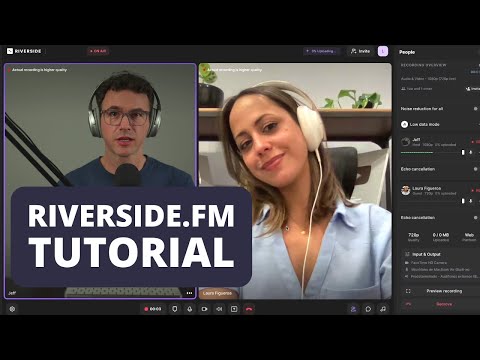
The recording quality difference compared to Zoom is dramatic and immediately apparent. Because audio and video are captured locally rather than transmitted as compressed streams, each track is lossless and allows professional-grade post-production. Many professional podcasters use Riverside as the front-end recording tool and Descript for editing, treating them as complementary tools in a production workflow.
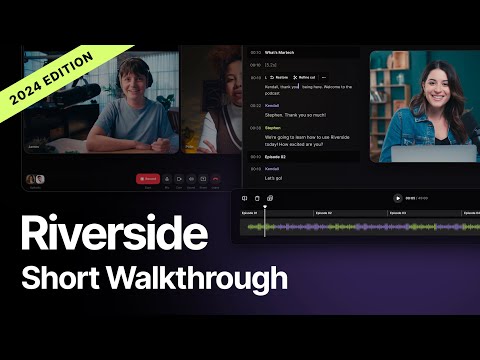
The AI features have expanded significantly. Magic Clips uses AI to identify the most engaging moments from a long-form recording and extract them as short vertical clips ready for TikTok and Instagram. AI transcription is accurate and available automatically after each session. The text-based editing tool, similar to Descript's core feature, edits the recording by editing the transcript.
AI background noise removal is applied automatically to improve audio quality even when participants are in imperfect acoustic environments. Speaker labels in transcripts identify each participant's contribution.
The free plan with 2 hours per month is sufficient for evaluation. The Standard plan at $15 per month provides 5 hours, covering a typical weekly podcast schedule. The Pro plan at $24 per month with unlimited AI clips is practical for creators who need to produce multiple social clips from each episode.
How Riverside.fm works
Riverside.fm runs as audio/video recording ai software built around audio and video workflows. Users typically start with a prompt, upload, or connected data source, and the underlying model handles the heavy lifting before returning a result you can refine or export. It's available on web, ios, and android.
Watch Riverside.fm in action
Recent YouTube videos cached from the backend so this page stays fast and fresh.
![How to Start a Podcast: Beginners Ultimate Guide [2026]](https://i.ytimg.com/vi/j9ANiOyGms4/hqdefault.jpg)
What makes it worth shortlisting
The capabilities that matter most for teams evaluating Riverside.fm.
Local recording
Captures audio and video on each participant's device at full quality before upload, avoiding streaming compression.
Magic Clips
AI identifies engaging moments in long-form recordings and extracts them as short vertical clips optimised for social media.
Text-based editing
Edit recordings by editing the transcript, with audio and video cuts reflecting text deletions.
Best use cases
Who should use it
Pros
- Studio-quality local recording dramatically better than web conferencing
- Magic Clips AI creates social content from every recording automatically
- Professional podcasters' preferred remote recording tool
- Text-based editing is faster than traditional audio editing
Cons
- More expensive than Zoom for recording purposes alone
- AI clip quality requires review before publishing
- Less comprehensive editing than Descript
Advertisement
Is it worth the price?
Free plan with 2 hrs/month recording and limited AI exports. Standard $15/month (5 hrs/month). Pro $24/month (15 hrs/month, unlimited AI clips). Business at custom pricing.
Model
Freemium
Starting price
$15/mo
Free trial
No
Tools like Riverside.fm
Descript provides full transcript-based editing and is often paired with Riverside. Podcastle is a more affordable all-in-one alternative. Zoom is adequate for recordings where quality is less critical.
Riverside.fm vs Podcastle
A side-by-side look at the closest alternative in this category.
Riverside.fm
Riverside.fm
Podcastle
Podcastle
Free plan with 2 hrs/month recording and limited AI exports. Standard $15/month (5 hrs/month). Pro $24/month (15 hrs/month, unlimited AI clips). Business at custom pricing.
Free plan with limited recording time and exports. Storyteller $14/month (unlimited recording, 3 voice clones). Pro $29/month (10 voice clones, more AI features). Enterprise custom pricing.
SOC 2 compliant. GDPR compliant. Review Riverside's data handling policy for uploaded recordings.
Review Podcastle's data handling policy for recorded audio. Voice cloning requires consent from the person being cloned.
Uploaded recordings are processed on Riverside's servers for transcription and AI features. Review privacy policy before recording interviews with third parties.
Review Podcastle's privacy policy. Recorded audio is processed on Podcastle's servers. Voice cloning consent requirements apply.
- Studio-quality local recording dramatically better than web conferencing
- Magic Clips AI creates social content from every recording automatically
- Professional podcasters' preferred remote recording tool
- Text-based editing is faster than traditional audio editing
- Complete browser-based recording and editing removes need for separate tools
- Local audio capture produces studio-quality remote recording
- AI enhancement and transcript editing are accessible for non-technical users
- Competitive pricing for the feature set provided
- More expensive than Zoom for recording purposes alone
- AI clip quality requires review before publishing
- Less comprehensive editing than Descript
- Feature depth less than Descript for complex editing requirements
- Voice cloning limited on lower tier plans
- Less established than Riverside.fm for professional remote recording
Technical & deployment info
Key facts about model providers, platforms, and team support.
Platforms
Web, iOS, Android
Deployment
SaaS
Integrations
Descript, YouTube, Spotify for Podcasters, Transistor, RSS, Zapier
Team Collaboration
No
Launch Year
2019
Security & privacy
Compliance signals and data-handling notes as reported by the vendor.
SOC 2 compliant. GDPR compliant. Review Riverside's data handling policy for uploaded recordings.
Uploaded recordings are processed on Riverside's servers for transcription and AI features. Review privacy policy before recording interviews with third parties.
What users are saying
Verified reviews from signed-in users, stored in the backend and averaged into this tool's rating.
Sign in to rate Riverside.fm and leave a review.
No other reviews yet — be the first to share how this tool performs in practice.
Common questions about Riverside.fm
Editorial Verdict
Should you use Riverside.fm?
Riverside.fm is the best recording platform for podcasters and content creators who need professional-quality remote recordings. Pair it with Descript for comprehensive editing of the recorded content.
Last verified July 24, 2026.